Here's a quiet truth behind a lot of returned backpacks: people buy by screen size, then find the laptop barely fits—or swims in the sleeve. A "15.6-inch" rating describes the screen, not your laptop's actual body. Measuring takes two minutes and saves the hassle.
The fix: Measure your closed laptop's width, depth and thickness, then compare those to the backpack's stated compartment dimensions—never just the screen rating.
Screen size vs actual size
Screen size is the diagonal of the display. But bezels, hinges, cooling and battery design mean two 15.6\" laptops can differ by a centimeter or more in footprint and noticeably in thickness. A gaming laptop and an ultrabook with the same screen are very different objects to a backpack.

Measure these three numbers
With your laptop closed, grab a tape measure and note:
- Width — the long edge, left to right.
- Depth — front to back.
- Thickness — the closed height, including any rubber feet.
Write them down; you'll compare against the bag, not your memory.
Match them to the sleeve
Find the backpack's laptop compartment dimensions (good listings state these) and confirm your laptop fits with a small margin—enough for the padding to do its job, not so much that the device slides. A sleeve that's a touch snug is ideal; movement is what causes corner dings.
A rough reference (always verify)
- 13-14\" laptops — typically fit "up to 14\"" sleeves; ultrabooks often fit 15\" sleeves too.
- 15.6\" laptops — the most common size; look for a true 15.6\" compartment.
- 16-17\" laptops — check carefully; you'll want a 17\"-rated bag and should measure thickness, since these run larger.
Use these as starting points only—thicker or larger-footprint models can need the next size up. If you just need a slim, dedicated case rather than a full backpack, the Bange Gravix 6801 laptop sleeve comes in both 13.3\" and 15.6\" sizes, so you can match it exactly to your measurements.
Don't forget protection, not just fit
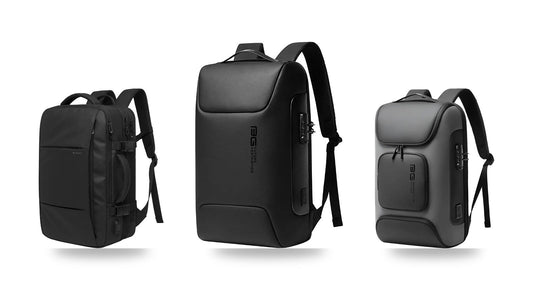
A correct fit is half the job; the other half is a padded, suspended sleeve that keeps the laptop off the bag's base. The combination—snug fit plus real cushioning—is what actually survives daily life. Bange's Strava 7267 pairs a true 15.6\" sleeve with cushioned, suspended protection.
Frequently asked questions
My laptop is 15.6\". Will any 15.6\" bag fit it?
Usually, but not always—thicker laptops can be tight. Compare your measured dimensions to the compartment size to be sure.
Is a little extra room okay?
A little is fine for padding. Too much lets the laptop slide, which risks damage; consider a smaller sleeve or a protective insert.
Where do I find compartment dimensions?
Quality product pages list them. If a listing only gives a screen rating, ask the seller before buying.
The bottom line
Two minutes with a tape measure beats a return every time. Measure width, depth and thickness, match to the compartment, and prioritize a padded suspended sleeve. Browse laptop backpacks and check each one's compartment size before you buy.
Previous
Waterproof vs Water-Resistant Backpacks: Oxford, Polyester and Nylon Explained
Next
USB Charging Backpacks: How the Port Really Works (and Safety Tips)